Every OCPI response arrives wrapped in the same JSON envelope, success or failure alike, and inside that envelope sits a four-digit status_code that tells you what actually happened. The trap is that this code is completely independent of the HTTP status. A partner can return 200 OK at the transport layer while the envelope says 2001, meaning your request was received and rejected. If you only check the HTTP status, you log a failed call as a success, and the two sides drift apart until a reconciliation surfaces the gap.
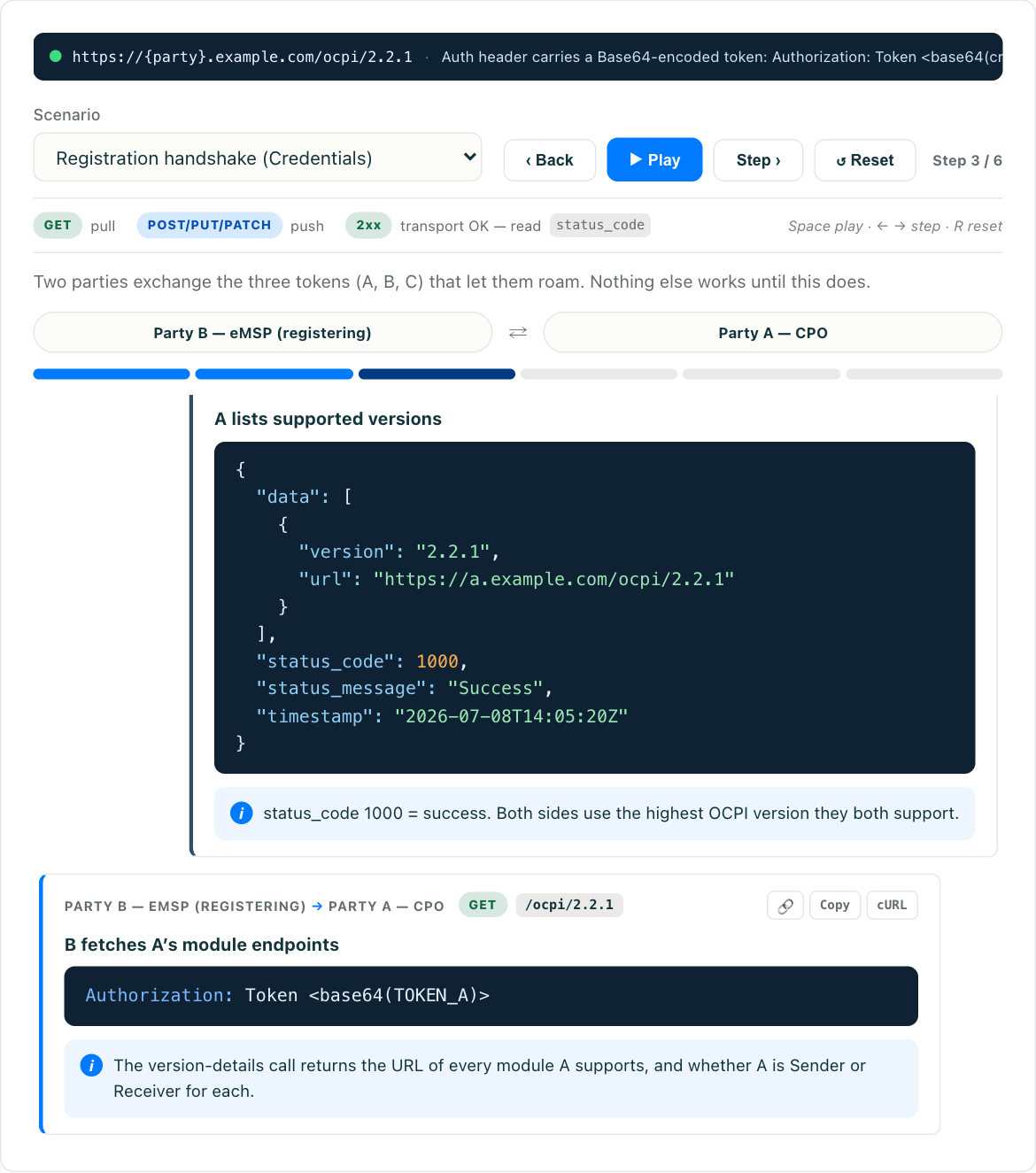
This is a reference and a debugging guide. Below is what each status_code range means, the specific codes you hit most often, and a repeatable method for going from “a partner returned an error” to “here is the field that was wrong.” If you want to see the envelope and these codes live rather than just read about them, try the interactive OCPI simulator, which lets you send well-formed and malformed messages and watch the exact status_code and status_message come back.
The response envelope
Every OCPI response body has the same shape, regardless of module or whether it succeeded:
{
  "data": { },
  "status_code": 1000,
  "status_message": "Success",
  "timestamp": "2026-07-12T09:41:00Z"
}
Four fields matter for debugging:
status_code: the OCPI-level result. This is the field that tells you what happened, not the HTTP status.status_message: an optional but strongly recommended human-readable explanation. On errors, this is where the real information lives.timestamp: when the responding system generated the message. Useful for ordering, and for spotting clock drift between parties.data: present on success, usually absent or empty on error.
The status_code is always a four-digit integer, and its first digit tells you which class of outcome you are dealing with. Everything else is a lookup.
The four ranges
OCPI groups status codes into four ranges by leading digit. Internalize the ranges first; the specific codes are secondary.
- 1xxx (success). The request was processed.
1000is the generic success code and covers nearly every good response. If you get a1xxx, the operation worked, so readdata. - 2xxx (client errors). You caused it. The request reached the partner but was malformed, incomplete, or referenced something unknown. Retrying the same bytes will fail the same way. You have to fix the request.
- 3xxx (server errors). The receiving party failed to process an otherwise valid request. This is their side breaking. Retrying with backoff, or alerting the partner, is the right response rather than editing your payload.
- 4xxx (hub errors). A roaming hub sitting between you and the intended receiver raised the error. The receiver may be unknown to the hub, disconnected, or slow to respond. The fix lives in routing and connectivity, not in your message content. If the hub model itself is new to you, what a roaming hub does covers the routing layer these codes come from.
That single mental model (my fault, their fault, the middle) resolves most of the “who do I go talk to” question before you even read the specific code.
The specific codes worth memorizing
You do not need the whole table in your head, but a handful come up constantly.
Success
1000: generic success. Nearly every good response carries this.
Client errors (2xxx), fix your request
2000: generic client error. The catch-all when nothing more specific fits. Lean onstatus_messagehere.2001: invalid or missing parameters. This one code covers every schema and format violation, from an absent required field to a non-UTC timestamp, a lowercasecountry_code, or a value outside an enum, which is why it absorbs the widest range of causes.2002: not enough information. The request was structurally valid but lacked the data needed to act. A real-time authorization request that does not carry enough for the receiver to decide is the usual shape.2003: unknown Location. The referenced Location (or EVSE inside it) is not known to the receiver.2004: unknown Token. The referenced Token is not known to the receiver, which surfaces in authorization and Tokens-module flows.
Server errors (3xxx), the partner’s side broke
3000: generic server error. Something failed on their end.3001: unable to use the client’s API. The receiver tried to call back to your API and could not, so look at auth on the return path, the endpoint URLs you published during registration, and plain reachability.3002: unsupported version. The version you are speaking is not one the receiver supports.3003: no matching endpoints, or expected endpoints are missing. This surfaces during the Versions and Credentials exchange when the two endpoint lists do not line up, and the Credentials and Versions handshake walks through what each side is meant to publish.
Hub errors (4xxx), routing between parties
4000: generic hub error.4001: unknown receiver. Thetoparty the hub was asked to route to is not known to the hub.4002: timeout on a forwarded request. The hub forwarded your message but the receiver did not answer in time.4003: connection problem. The receiving party is not currently connected to the hub.
The four ranges are stable, but individual codes have been added across releases, so check which version a partner declares in its Versions endpoint before assuming a specific code exists on their side. OCPI version history tracks what landed where.
How to debug an OCPI error, step by step
When a partner returns an error, resist the urge to immediately change your payload. Work the layers in order.
1. Read the envelope, not the HTTP status. Confirm whether the failure is at the transport layer (a real HTTP 4xx or 5xx, meaning the call may not have been processed at all) or an OCPI-level rejection carried inside a 200. These are different problems. An HTTP 401 or 403 is an authentication failure before your payload was ever parsed, covered in OCPI security and authentication. An OCPI 2xxx inside a 200 means you got past auth and the payload itself was rejected.
2. Classify by the leading digit. 2xxx means stop and inspect your request. 3xxx means the partner’s system failed, so capture the evidence and open a ticket with them rather than mutating your message. 4xxx means talk to the hub about routing or connectivity.
3. Read status_message carefully. This free-text field is where a decent implementation tells you the actual cause: invalid country_code: must be ISO 3166-1 alpha-2 uppercase, or missing required field: connector_id. An empty or useless message is itself a finding. Note which partners ship bare error codes, because with them you will be debugging from your own request logs instead.
4. Reproduce in isolation. Take the exact rejected payload and replay it against a controlled target. This is where the OCPI simulator earns its keep: send the same message, tweak one field at a time, and watch the status_code change from 2001 back to 1000. If you need a known-good shape to diff against, the OCPI request examples give you one per module. Reproducing against a mock removes partner availability and partner-side noise from the equation, so you are testing your payload and nothing else.
5. Confirm the fix and add a regression test. Once you know the offending field, add a test that sends the previously broken shape and asserts the correct code. Error paths deserve tests as much as happy paths, a point covered in more depth in the OCPI integration pitfalls checklist.
The error responses you send matter too
Debugging is bidirectional. When you are the receiver and you reject a request, the error you return determines how fast the other party can fix their side. Two habits separate good implementations.
Return the right code, not a blanket 3000. If the request is missing a parameter, that is a 2001 (client error), not a server error. Miscategorizing your own errors sends partners chasing the wrong side. A malformed field is their bug to fix, and returning 3000 tells them it is yours.
Always populate status_message with something actionable. invalid or missing parameters is barely better than nothing. missing required field: party_id lets the partner fix it without opening a ticket. Include enough for them to act on, without leaking stack traces, database errors, or infrastructure detail. A specific message and a vague one are often the difference between a fix inside the same debugging session and a support thread that runs for days.
One caution: distinguish a real error from rate limiting. A burst of 3000s or transport-level 429s under load may not be a bug in your payload at all, but a throttle kicking in. OCPI rate limiting and abuse protection (coming soon) covers the mechanics. Backing off is the fix there, not re-crafting the message.
Where this fits
If you are new to how these messages flow between roaming parties in the first place, start with what OCPI is for the overall picture of CPOs, eMSPs, and hubs. The error model does not change with the network you are talking to or the continent it operates on: one envelope, one status_code, four ranges.
The fastest way to build intuition is to make the errors happen on purpose. Open the OCPI simulator, send a clean request to see 1000, then break it deliberately: drop a required field, lowercase a country_code, send a datetime in local time instead of UTC. Watch the exact code and message that comes back. Once you have triggered 2001, 2003, and a version mismatch yourself, reading them in production logs becomes routine instead of a puzzle.
Key takeaways
- OCPI carries its own
status_codein the response envelope, independent of the HTTP status. HTTP200withstatus_code2001means received and rejected, so always read the envelope. - The leading digit classifies the failure:
1xxxsuccess,2xxxyour request,3xxxthe partner’s server,4xxxthe hub. That alone tells you who to go fix. 2001covers every schema and format violation at once, which is why the offending field lives instatus_messageand not in the code itself.- When you send errors, return the correct range and a specific, actionable
status_message. That choice sets how fast the other side can fix things. - Reproduce rejected payloads in isolation. The interactive simulator lets you trigger and resolve each code one field at a time.
One last thing worth knowing about why the envelope exists at all. HTTP status codes get rewritten in transit by proxies, gateways, and load balancers that know nothing about roaming, so a 502 in your logs may have come from infrastructure that never reached your partner. Putting the authoritative result inside the body puts it somewhere only the two OCPI parties can write. That is also why a response with no status_code at all is worse news than a bad one: it means something in the path answered on your partner’s behalf.