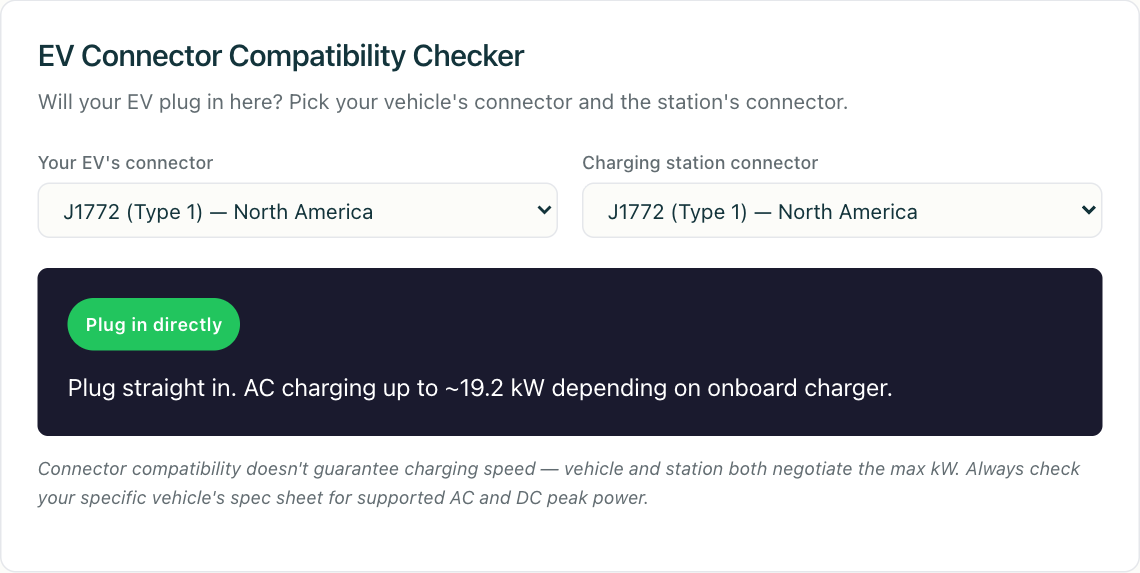
You pull up to a charger, look at the cable hanging there, and ask the only question that matters in that moment: will my car actually charge here? The plug either fits or it doesn’t — but “fits” is only the first of three things that have to line up. This guide walks through all three so you can answer the question with confidence, and you can try the interactive connector compatibility checker to test any car-and-station pairing in seconds.
The short version: charging works when the connector matches, the power type and level are something your vehicle can accept, and you have a way to authorize the session. Miss any one of those and the cable stays cold. Let’s take them in order.
Step one: does the connector physically match?
This is the part most people mean when they ask the question, and it’s the easiest to check. There are six connectors you’ll realistically encounter, split cleanly between AC and DC:
- J1772 (Type 1) — the North American AC standard. Every non-Tesla EV sold in the US and Canada before 2025 uses it for Level 1 and Level 2 charging. AC only.
- Type 2 (Mennekes) — the European AC standard. AC only, single- or three-phase.
- CCS1 (Combo 1) — the North American DC fast-charging standard. It bolts two DC pins onto a J1772 plug, so one inlet handles both AC and DC.
- CCS2 (Combo 2) — the European DC equivalent, built on the Type 2 plug.
- CHAdeMO — the older Japanese DC standard, now mostly seen on earlier Nissan Leafs and being phased out outside Japan.
- NACS (J3400) — Tesla’s connector, now an open SAE standard, carrying both AC and DC through a single small plug.
The reason a CCS car can’t just plug into a CHAdeMO cable isn’t the shape alone — it’s that the two use entirely different communication protocols. That’s also why no simple pass-through adapter bridges them. For the adapter combinations that do work (and the ones that quietly don’t), see our EV charging adapters compatibility guide (coming soon). If you want the full anatomy of each plug, EV charging connectors explained breaks them down pin by pin, and what is a CCS connector (coming soon) goes deep on the one you’ll meet most at DC fast chargers today.
Step two: is it AC or DC — and can your car take the power?
A matching plug can still leave you charging far slower than you expected, or occasionally not at all, because connector shape and power delivery are separate things.
First, AC versus DC. J1772 and Type 2 are AC-only. When you plug into an AC station, the charging happens through your car’s onboard charger, which converts AC to DC internally. That onboard charger has a ceiling — commonly 7.4 kW, 11 kW, or up to 19.2 kW depending on the vehicle — and the car will never charge faster than that on AC no matter how beefy the station is. A 22 kW AC station won’t charge an 11 kW-capable car any faster than 11 kW.
DC fast charging (CCS, CHAdeMO, NACS in DC mode) skips the onboard charger and feeds the battery directly. Here the ceiling is set by the car’s battery architecture and its state of charge, not just the station rating. A station advertised at 350 kW will happily throttle down to whatever your vehicle negotiates — maybe 150 kW at a low state of charge, tapering as the battery fills. So “will it charge?” is usually yes, but “how fast?” depends on the car far more than the sign on the charger. Our post on reading EV charger specifications (coming soon) covers how to translate those numbers into real-world speed.
The practical takeaway: a fit connector on an underpowered pairing still charges. A fit connector on a mismatched power type — say, expecting DC speed from an AC-only Type 2 station — will charge, just slowly. The connector checker flags which combinations deliver DC fast charging versus AC only, so you’re not surprised at the plug.
Step three: can you actually authorize the session?
This is the step people forget, and it causes more “the plug fit but nothing happened” moments than any physical mismatch. Before a single amp flows, the charger and the car run a handshake over the control-pilot line, and separately the station checks that you’re allowed to charge.
Authorization can happen a few ways: tapping an RFID card, using a network’s app, or letting the car and charger sort it out automatically via Plug and Charge. If you don’t have an account with that network, or your roaming agreement doesn’t cover it, the connector fitting perfectly won’t help — the session gets rejected at the authorization layer, not the physical one. Our guide to RFID vs. Plug and Charge vs. app authentication (coming soon) walks through each path and where they trip up.
Under the hood, this is where the charging protocols live. When a session starts, an OCPP-speaking station sends an Authorize request (or validates a presented token locally) before energizing the connector; in OCPP 2.0.1 the station reports connector availability and faults through its status notifications, so a charger showing Faulted or Unavailable will refuse even a perfectly matched plug. Roaming across networks — the thing that lets one account work at many operators — runs over OCPI, where the eMSP and CPO exchange token and session data behind the scenes. You don’t see any of it, but it’s the reason a European network card might or might not work at a North American station, and vice versa.
The NACS transition makes this trickier — and simpler
Through 2025 and 2026, most major North American automakers — Ford, GM, Rivian, Hyundai, Kia, Polestar, Volvo, Mercedes, and others — are shipping NACS ports on new vehicles, while existing CCS1 owners get adapters for Tesla Supercharger access. For a while, you’ll see stations offering both a NACS plug and a CCS1 plug side by side, which is genuinely more forgiving: more cars fit more cables.
The catch is the in-between period. A 2024 CCS1 vehicle at a NACS-only Supercharger needs the right adapter and a supported account; a new NACS vehicle at a legacy CCS1 station needs the reverse adapter. Europe, meanwhile, stays on CCS2 and Type 2 throughout — the NACS shift is a North American story. If you want the full picture of who’s switching and when, the NACS / J3400 switch explained (coming soon) lays out the timeline.
Put it together at the plug
So, will your EV charge at that station? Run the three checks in your head:
- Connector — does the physical plug match, or do you have a real adapter for that pair?
- Power — is it AC or DC, and is the speed limited by the car (usually fine) or a type mismatch (charges slow)?
- Authorization — do you have an account, card, or roaming path that this network accepts?
If all three are yes, you’re charging. When you want to check a specific car-and-station combination — including which pairs need adapters and which deliver true DC fast charging — run it through the connector compatibility checker. It covers all six major connectors and the messy transition combinations, so you can answer the question before you’re standing in the cold guessing.